

Dependency Track Integration
Dependency Track provides continuous monitoring of your Software Bill of Materials (SBOM) for vulnerabilities, license risks and policy violations.Prerequisites
Before you begin, ensure you have:- A running Dependency Track instance
- GitHub repository with Actions enabled
- SCANOSS API key
- Dependency Track API key (from Administration → Access Management → Teams → API Keys)
New to GitHub Actions workflows? CI/CD Integration covers the basics this builds on, useful background, but not required, since the complete workflow is given below.
Configure GitHub Secrets
Navigate to your GitHub repository and add the required secrets: Settings → Secrets and variables → Actions Click New repository secret and add each of the following:Create Monitoring Workflow
Open your project in your IDE (for example, VS Code), then open the terminal in your project folder. If you haven’t already created the.github/workflows directory from the CI/CD Integration guide, create it now:
.github/workflows/scanoss-monitoring.yml:
- Event Triggers: Executes on pushes and pull requests for continuous validation
- Automatic Upload: Sends SBOM to Dependency Track for ongoing monitoring
- Policy Enforcement: Validates copyleft, undeclared components, and Dependency Track policies
Commit and Push Workflow
Open your terminal and execute these commands:Monitor Your Scan
- Go to your GitHub repository
- Click Actions tab
- Select your SCANOSS with Dependency Track workflow
- Monitor the execution
Review Pipeline Summary
After the workflow completes, navigate to the Summary page to review results.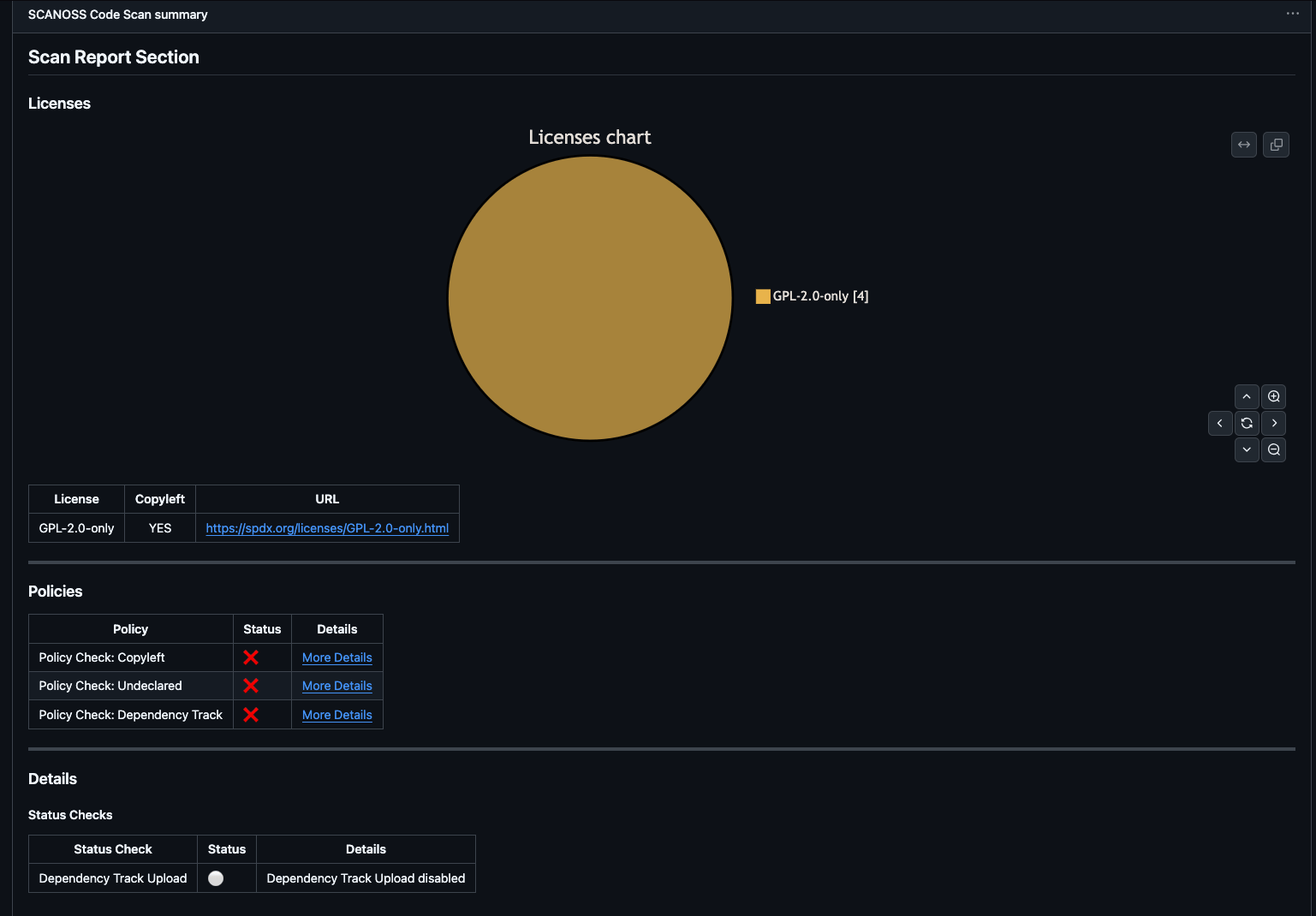
- Scan Report: License distribution pie chart and detailed license table
- Policies: Compliance check results (copyleft, undeclared, Dependency Track)
- Details: Upload status with direct link to Dependency Track project
- Artifacts: Downloadable reports, SBOMs, and policy results
Access Dependency Track Dashboard
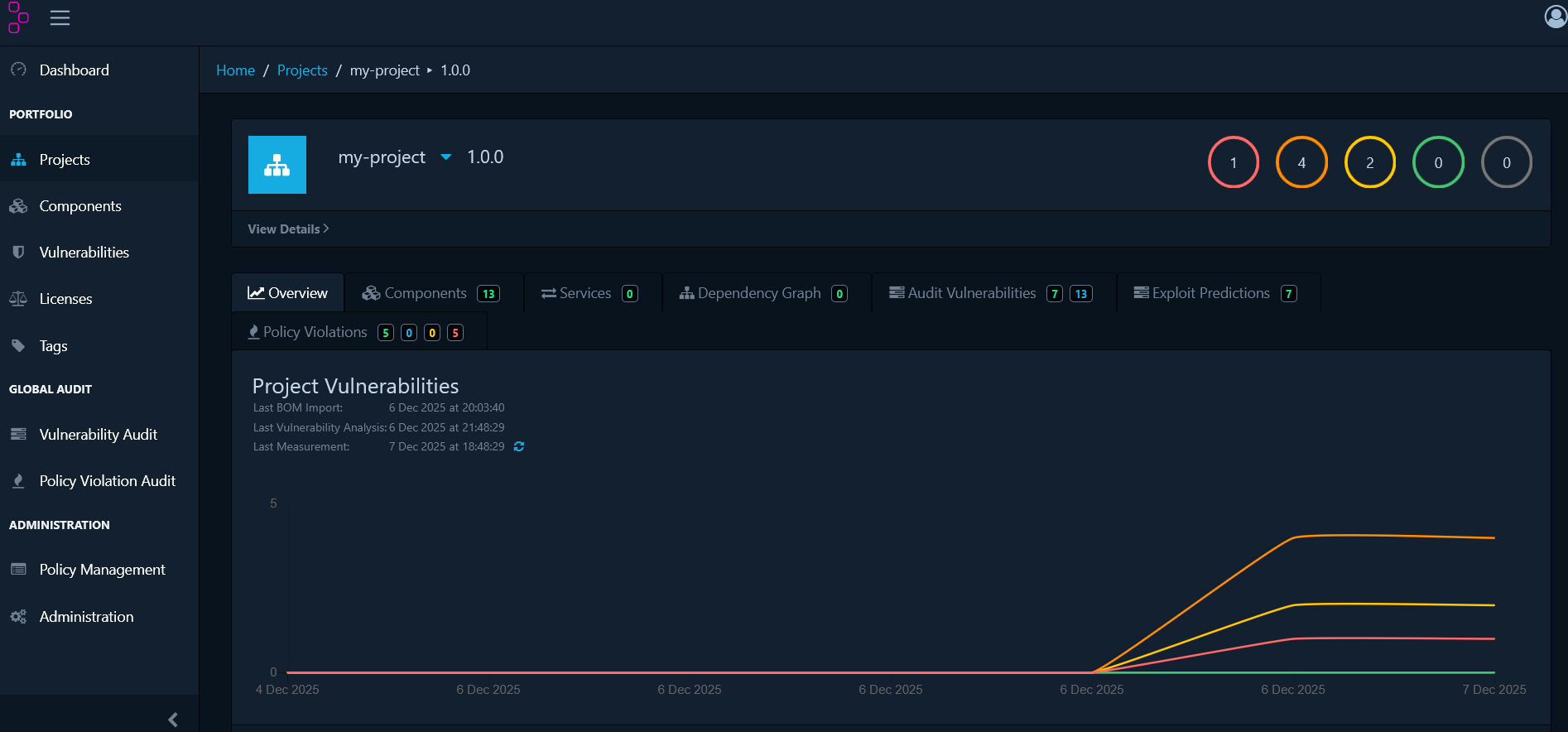
Once the scan uploads to Dependency Track, access the full dashboard for deeper analysis. In the pipeline summary’s Details section, click the View Project link to open your project in Dependency Track.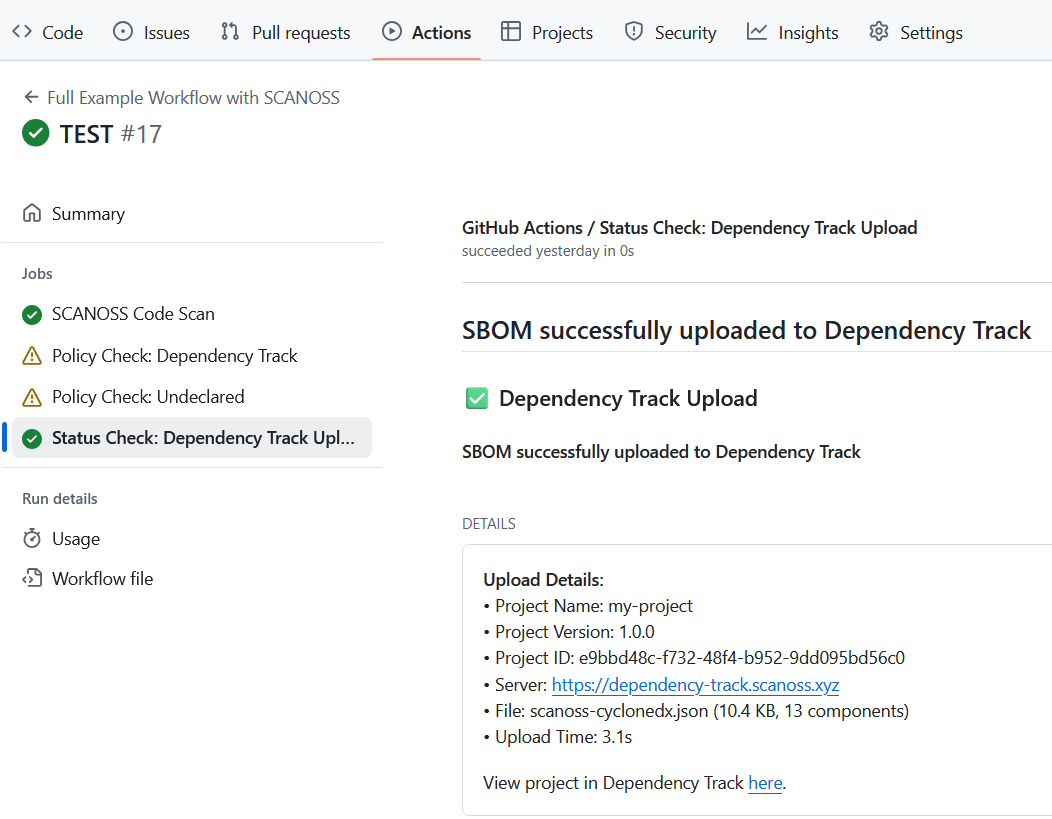
ORT Integration
OSS Review Toolkit (ORT) is an enterprise-grade FOSS policy automation and orchestration toolkit.Prerequisites
Before you begin, ensure you have:- Java: JDK 25 or later
- Git
- SCANOSS API key
- A shell environment:
- Windows: PowerShell, Command Prompt, or Git Bash
- macOS/Linux: Terminal (Bash/Zsh)
Install ORT
JAVA_OPTS="-Xmx8g" first if the build fails. For the PowerShell/Command Prompt equivalent on Windows, see Installation in the OSS Review Toolkit guide.
Configure SCANOSS as a Scanner
Create~/.ort/config/config.yml (Windows: %USERPROFILE%\.ort\config\config.yml):
your-scanoss-api-key-here with your actual SCANOSS API key.
Analyse and Scan Your Project
Navigate to your project directory and run the analyser, then scan with SCANOSS:Generate a Report
ort-results/scan-report-web-app.html in your browser to view it.
For defining custom policy rules, running evaluations against them, and generating SPDX or CycloneDX SBOMs, see Policy Evaluation and Additional Formats in the OSS Review Toolkit guide.