

- Comprehensive License Scanning: Detect licenses and copyrights using SCANOSS’s vast open source knowledge base
- Policy Automation: Define and enforce custom compliance rules
- SBOM Generation: Create CycloneDX and SPDX SBOMs
- Automated Compliance: Generate attribution documents and compliance reports
- Vulnerability Detection: Identify security issues in dependencies
Architecture Overview
ORT leverages a distributed architecture to efficiently process scans and deliver intelligence.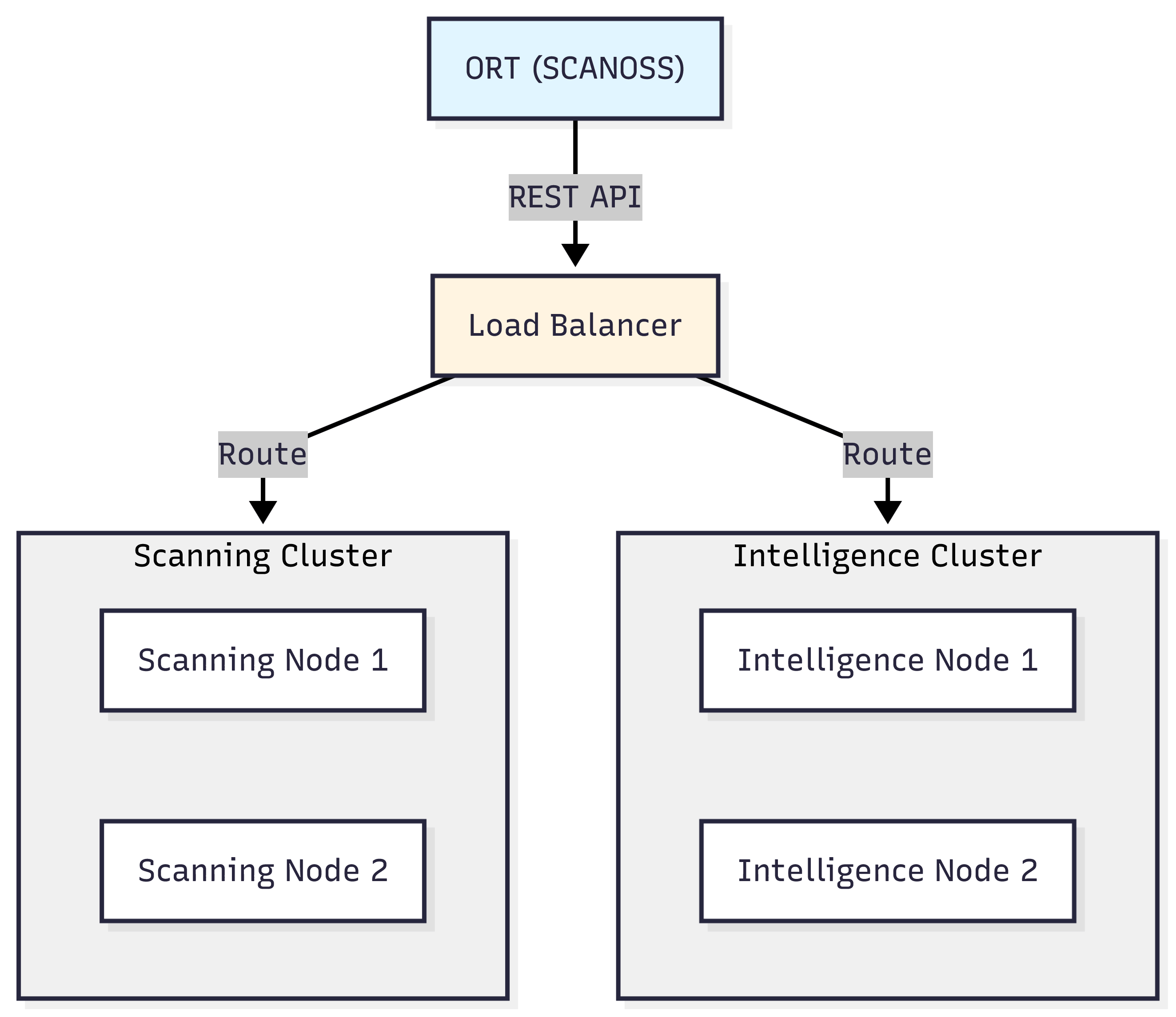
Prerequisites
- Java: JDK 25 or later
- Git
- SCANOSS API key
- Shell environment:
- Windows: PowerShell, Command Prompt, or Git Bash
- macOS/Linux: Terminal (Bash/Zsh)
- Text editor: VS Code, Notepad++, nano, vim, or any editor of your choice
Installation
For Windows:- Variable name:
JAVA_OPTS - Variable value:
-Xmx8g
Configuration
Create the ORT configuration directory and file: For Windows:config.yml:
your-scanoss-api-key-here with your actual SCANOSS API key.
For macOS/Linux:
your-scanoss-api-key-here with your actual SCANOSS API key.
How ORT Works with SCANOSS
Here’s how ORT orchestrates the scanning workflow when integrated with SCANOSS.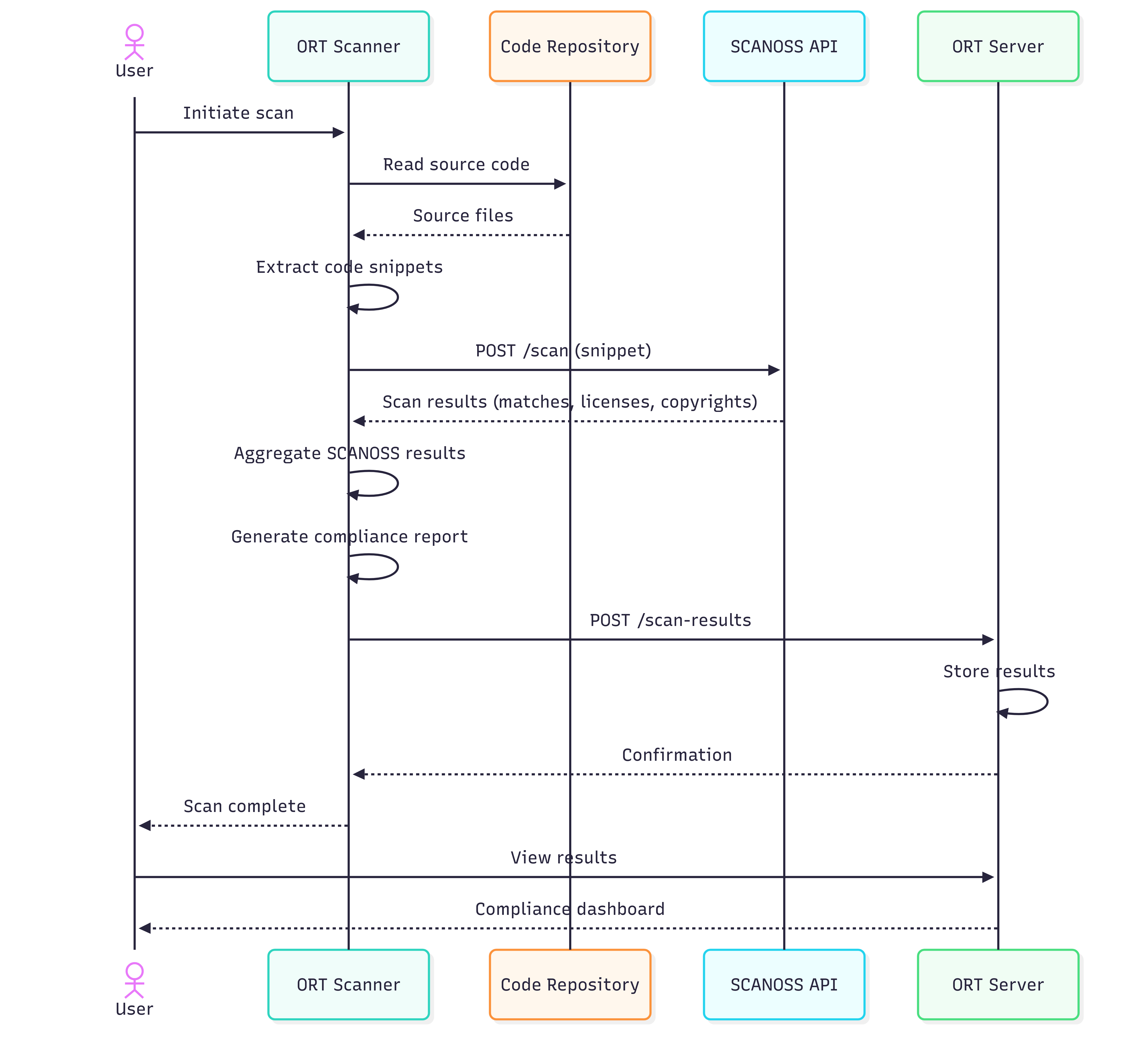
Scan Your Project
Analyse Dependencies
Scan with SCANOSS
Generate HTML Report
View Reports
Open the generated HTML report in your browser: For Windows:Additional Formats
Generate reports in various formats.Policy Evaluation
Define and enforce custom compliance policies using ORT’s policy rules.Create Policy Rules
Create a policy rules file using your preferred text editor: For Windows (PowerShell):rules.kts: