

Installation
macOS / Linux
Windows (PowerShell as Administrator)
Verify Installation
After installation, verify that the CLI is available:Configuration
Verify Your Configuration
To confirm that your API key is correctly configured, check the settings file created byscanoss-cc in the current user’s home directory:
~/.scanoss/scanoss-cc-settings.json
You can view this file using the following commands:
Getting Started
Launch the desktop application:GUI Workflow
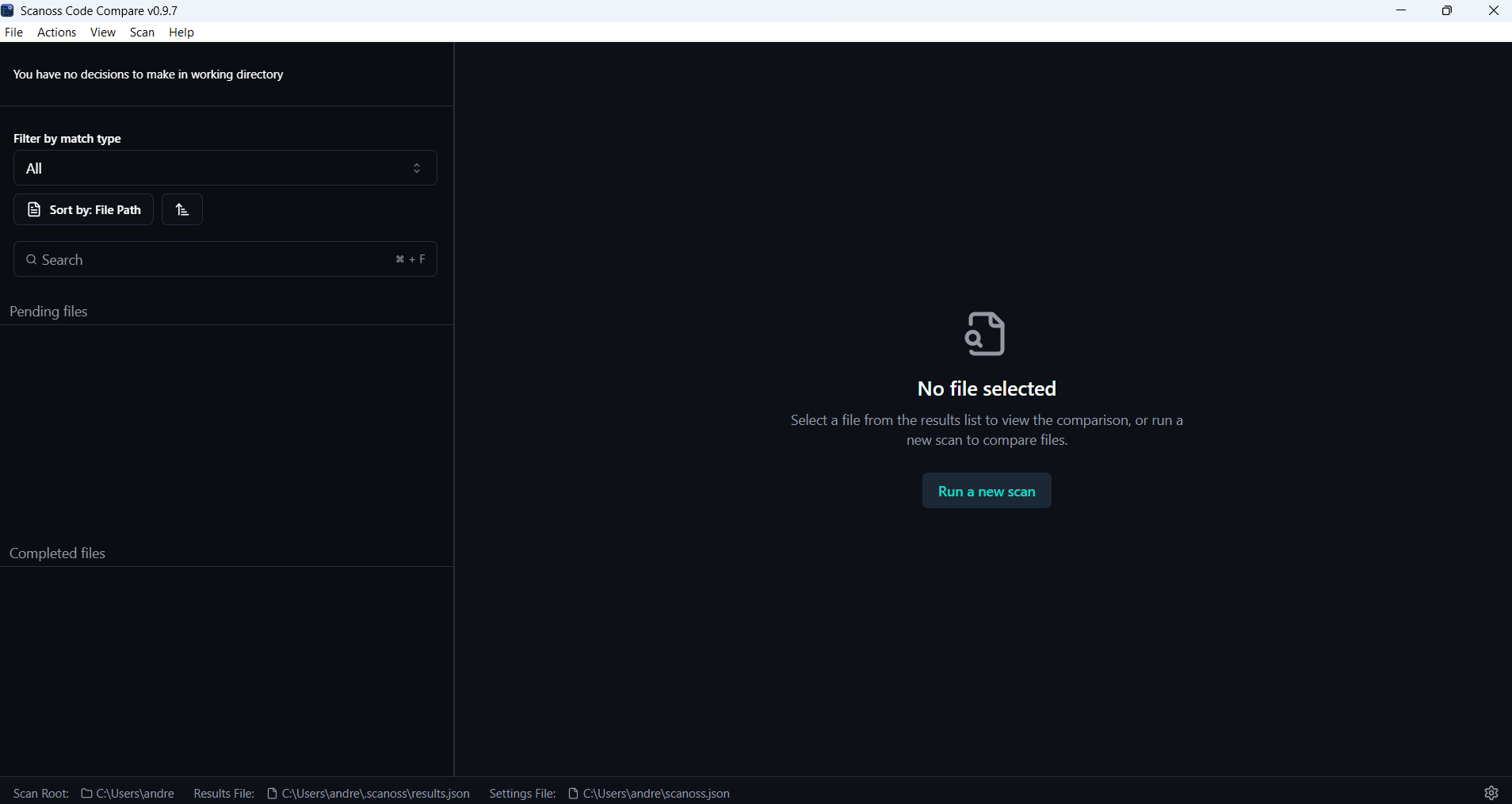
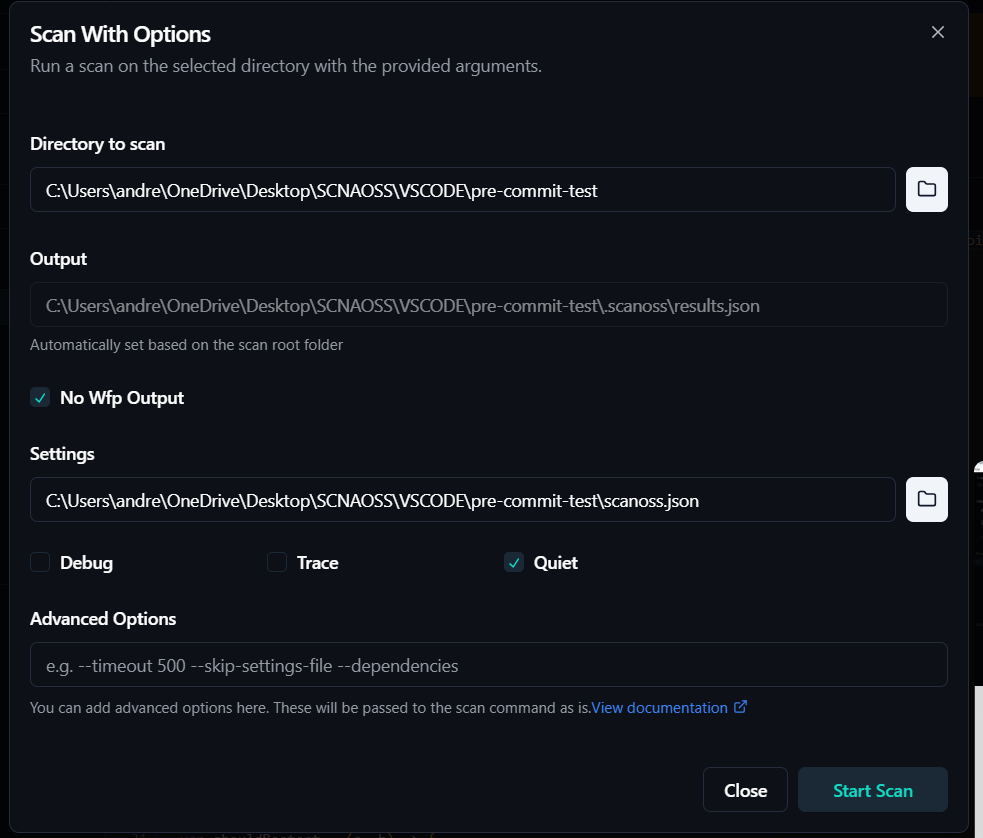
- Start Scan: Click Run a new scan, select your project or file, and configure the scan settings.
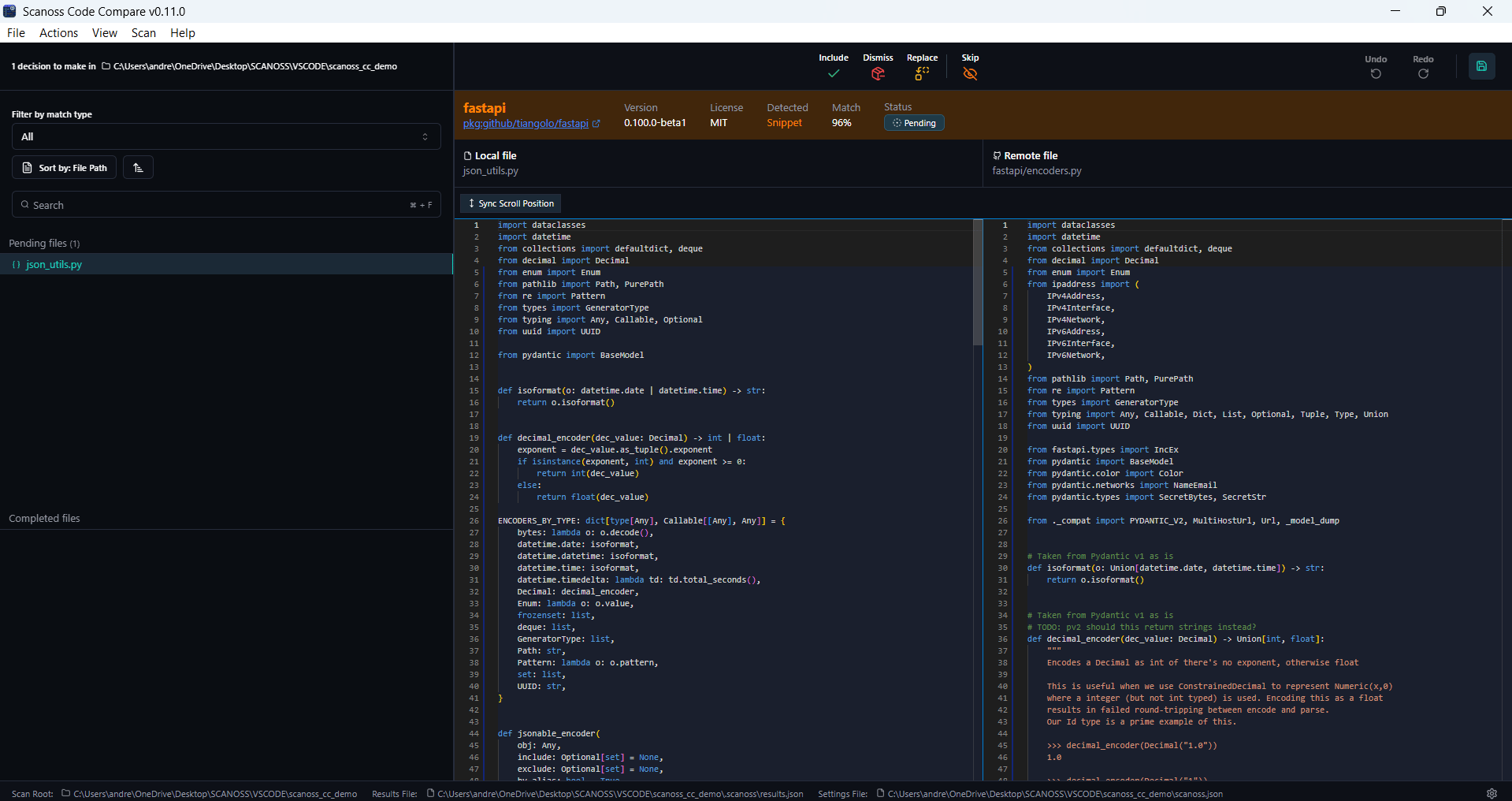
- Review Results: View side-by-side code comparisons with match details.
-
Make Decisions: Use the action bar at the top of the dashboard to
include, dismiss, replace, or skip findings.
Decisions can be applied at the following levels:
- Individual files: Apply a decision to a specific file match.
- Entire folders: Apply the same decision to all files within a folder.
- Components: Apply a decision to all instances of a matched open-source component across your project.
- Include: Mark the finding as an accepted open-source component to be recorded in your project’s dependency or licence documentation.
- Dismiss: Mark the finding as not applicable and record the reason for future reference.
- Replace: Flag the component for replacement and record the intended substitute.
- Skip: Defer the decision for later review without recording an outcome.
- Restore: Undo a previous filtering decision (Include, Dismiss, Replace, or Skip) and return the finding to a pending state.
-
Persist Decisions: To save your decisions, click Save. This creates or updates the
scanoss.jsonfile in your project root with your include, replace, remove, and skip rules. The saved rules are then reused during subsequent scans to ensure your previous decisions are preserved.