

Prerequisites
Before you begin, make sure you have:- An existing GitHub repository
- A valid SCANOSS API key
Getting Started
Configure GitHub Secrets
Navigate to your GitHub repository and add the following secrets: Settings → Secrets and variables → Actions → New repository secretCreate Workflow File
Create.github/workflows/scanoss.yml in your repository:
Commit and Push
Understanding Results
GitHub Actions Summary
After the scan completes, view results directly in the Actions tab:- Navigate to Actions in your repository
- Select the latest workflow run
- Review the Annotations section to see detected snippets and matches
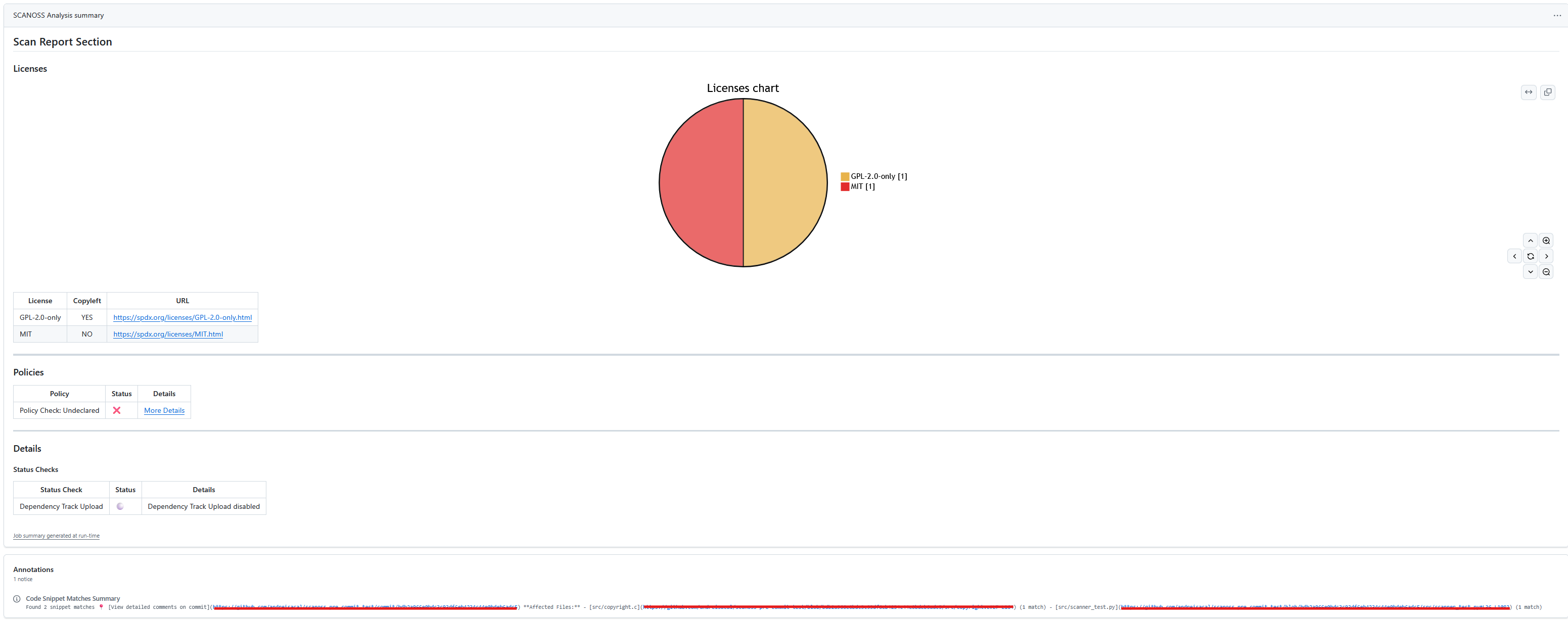
- Click View detailed comments on commit to examine individual file matches with detailed comparison
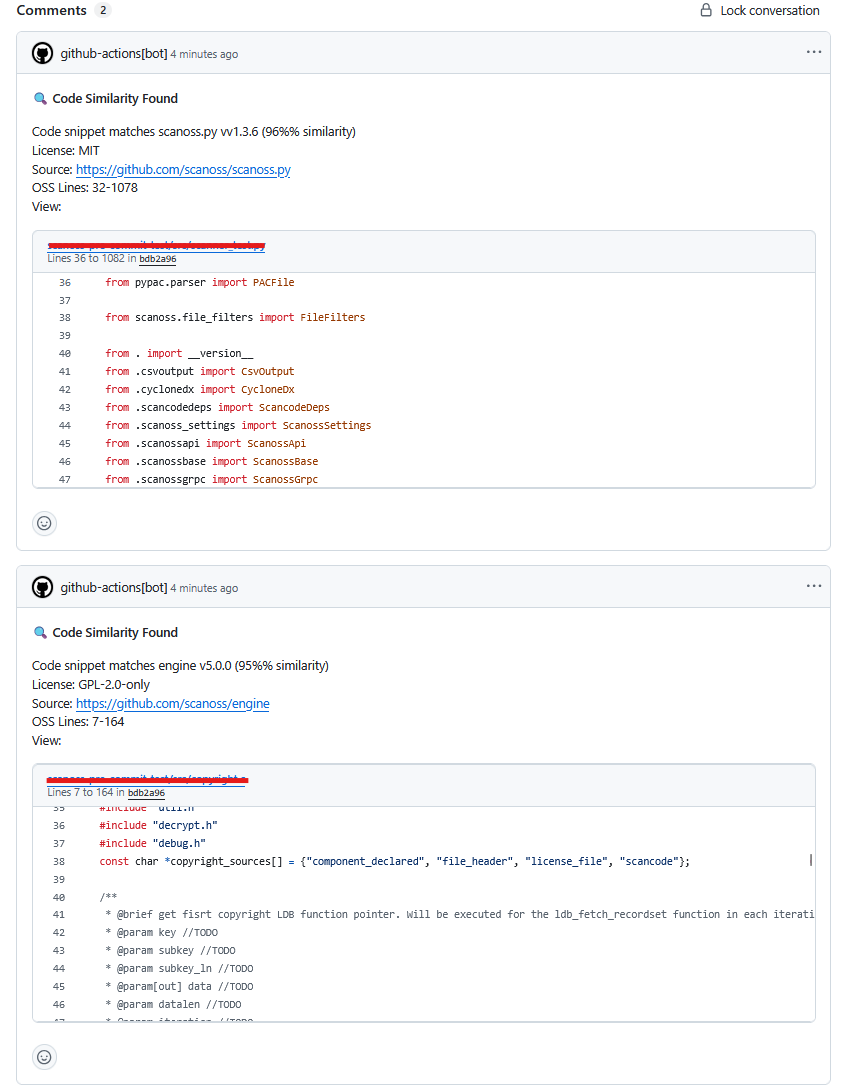
Resolving Undeclared Components
When undeclared components are detected, SCANOSS provides an easy resolution path:- Navigate to the failed Policy Check: Undeclared to see which components need declaration
-
If
scanoss.jsondoesn’t exist in your repository, click Create scanoss.json file to generate it automatically - Review the pre-populated component list and click Commit Changes
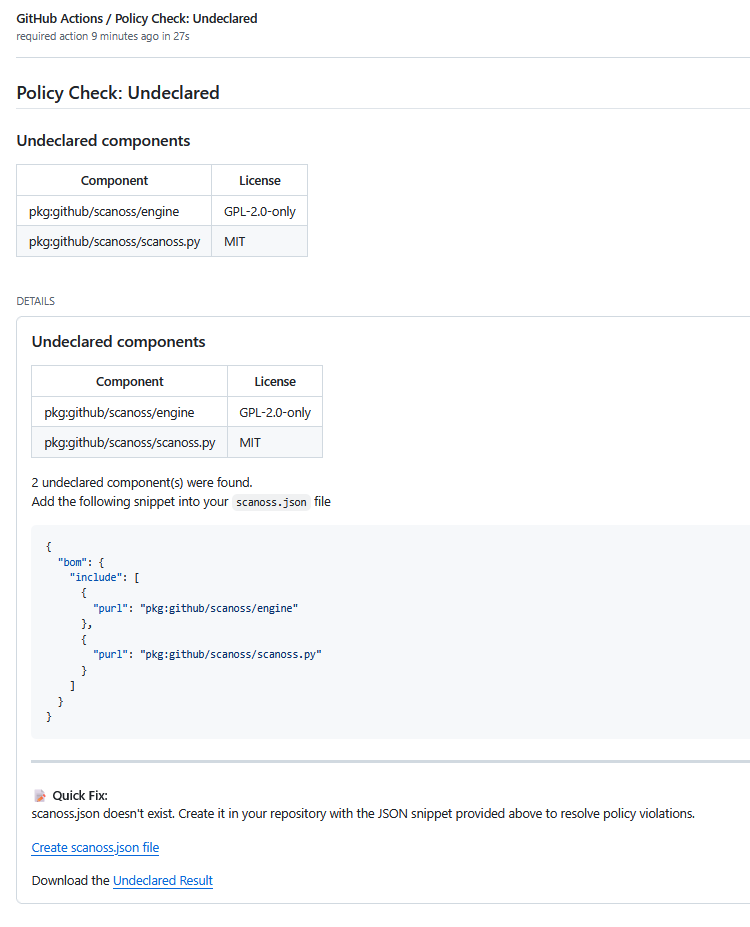
- The new commit automatically triggers a rescan, which will pass the undeclared policy check.
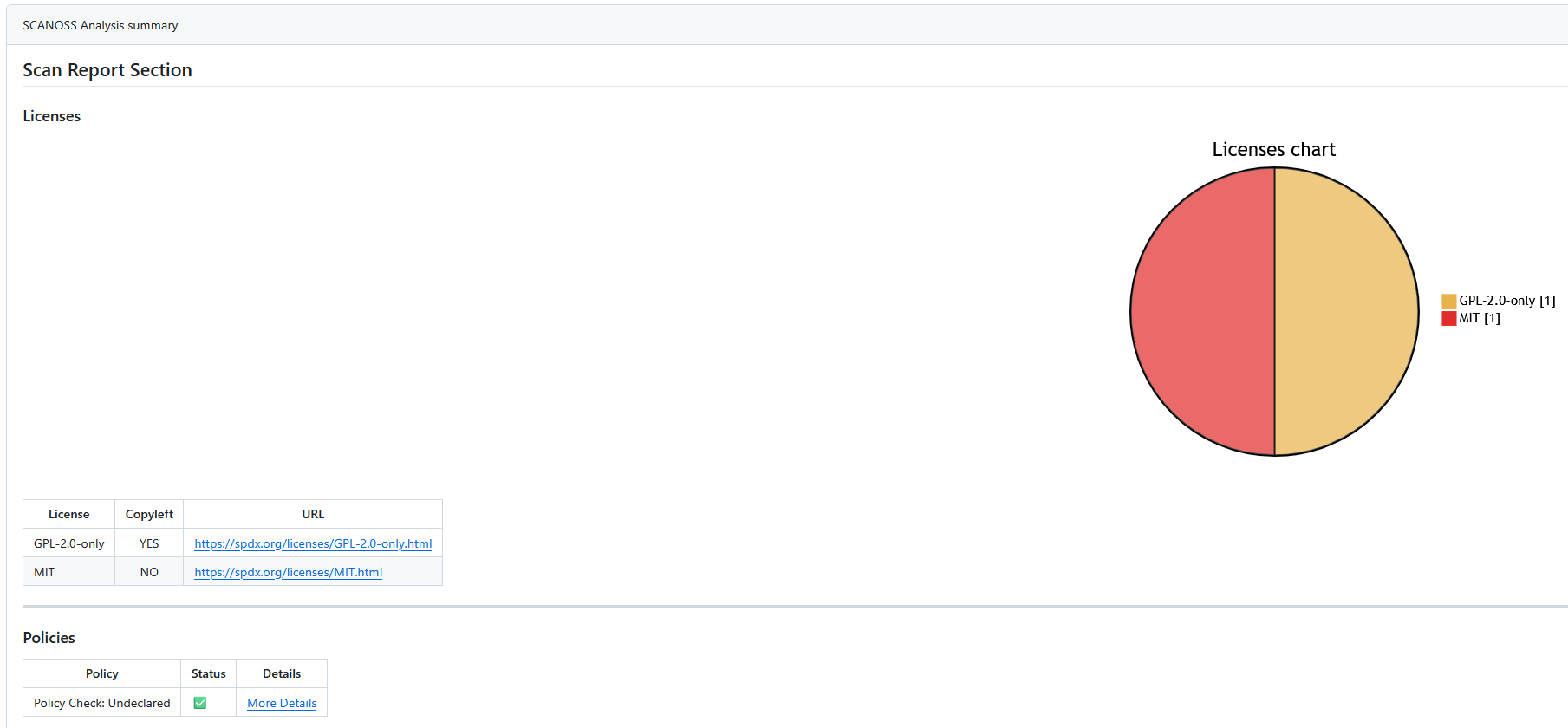
scanoss.json file serves as your project’s component declaration, ensuring your team has visibility into all open source code used in your repository. Keep this file updated as you add or remove dependencies to maintain accurate compliance tracking.