Prerequisites
Before you begin, make sure you have:- An existing Jenkins installation
- A valid SCANOSS API key (required only for enterprise features)
- The following Jenkins plugins installed:
- Docker Pipeline — runs pipeline stages inside Docker containers
- Pipeline Utility Steps — provides file reading and utility functions
- Generic Webhook Trigger — enables GitHub webhook-based pipeline triggers
- Pipeline — core Jenkins pipeline support
- GitHub Plugin — GitHub repository integration
Configuration
Jenkins Credentials
Credentials should be stored in the Jenkins credentials store rather than hardcoded in your pipeline. Navigate to: Dashboard → Manage Jenkins → Credentials → (global) → Add Credentials Create the following credentials:Use the exact credential IDs shown above — they are referenced by name in the Jenkinsfile.
Pipeline Setup
Step 1: Create a New Pipeline Job
- Open the Jenkins Dashboard
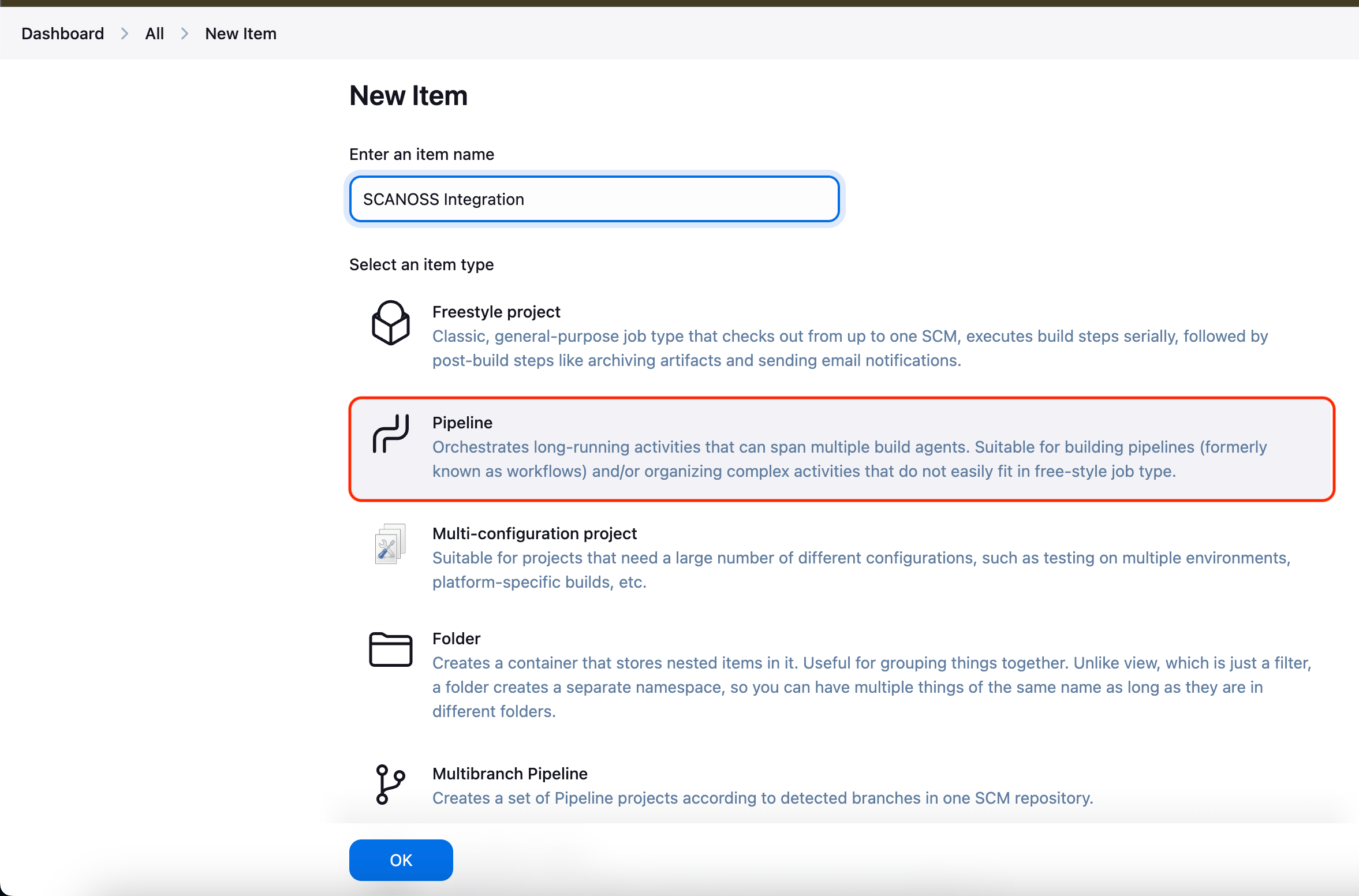
- Click New Item
- Enter a job name (e.g.
scanoss-scan) - Select Pipeline as the job type
- Click OK to create the job
Step 2: Configure the Pipeline Definition
- Navigate to the Pipeline section in the job configuration
- Set Definition to
Pipeline script from SCM - Select Git as the SCM
- Enter the repository URL (e.g.
https://github.com/your-org/your-repo) - Set Credentials:
- none -for public repositoriesgh-tokenfor private repositories
- Set Branch Specifier to
*/main(or*/masterdepending on your default branch) - Set Script Path to
Jenkinsfile - Click Save to apply the configuration
Step 3: Add the Jenkinsfile
Copy the SCANOSS Jenkins pipeline from the official integration repository and save it asJenkinsfile (no extension) in the root of your repository.
Step 4: Run the Pipeline
- Go to the pipeline job page in Jenkins
- Click Build Now to start a new build
- Open Build History and select the latest build number
- Click Console Output to monitor the scan execution in real time
Step 5: Review the Results
After the build completes, click Artifacts in the build to access the scan results: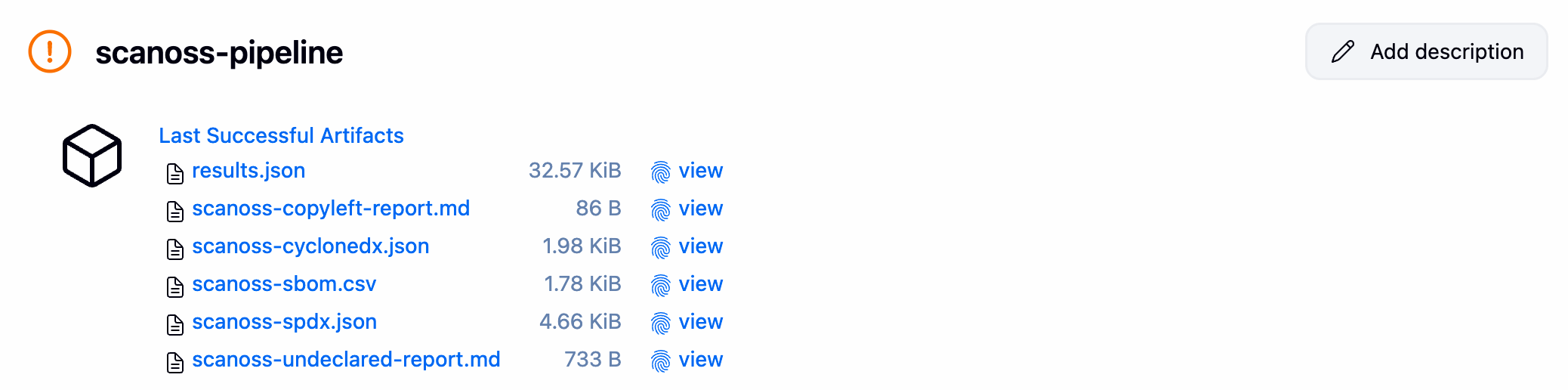
Step 6: (Optional) Set Up GitHub Webhook Auto-Trigger
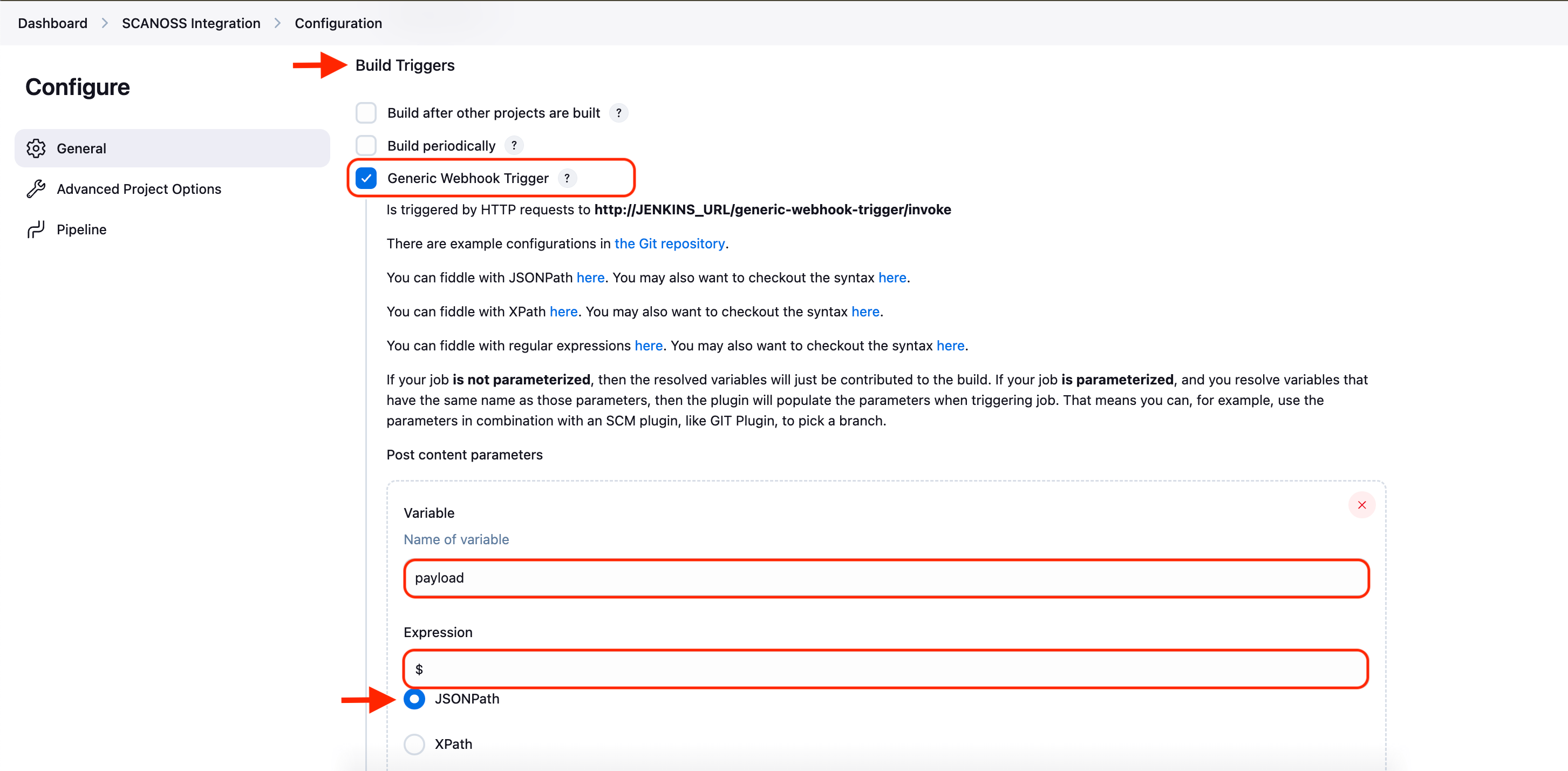
To automatically trigger the pipeline on every push to GitHub: In Jenkins:- Go to your pipeline → Configure → Build Triggers
- Check Generic Webhook Trigger
- Under Post content parameters, add:
- Variable:
payload - Value:
$ - Expression type:
JSONPath
- Variable:
- Note your webhook URL:
http://YOUR_JENKINS_URL/generic-webhook-trigger/invoke?token=YOUR_TOKEN
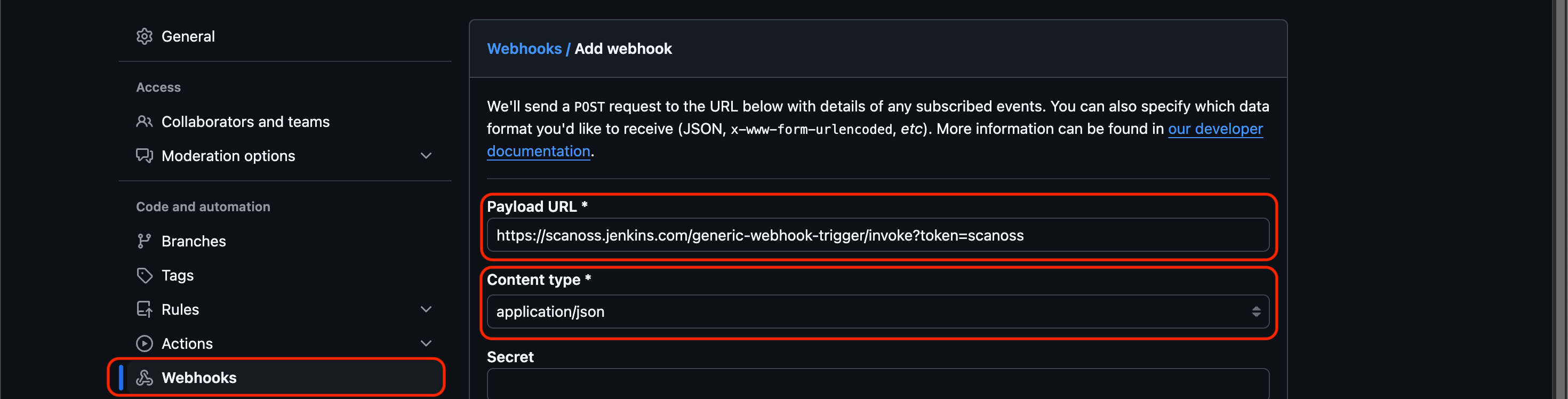
- Go to your repo → Settings → Webhooks → Add webhook
- Paste the Jenkins webhook URL
- Set content type to
application/json - Click Add webhook
Multibranch Pipeline
For repositories with multiple branches, use a Multibranch Pipeline to automatically detect and build all branches containing aJenkinsfile.
Setup Steps
-
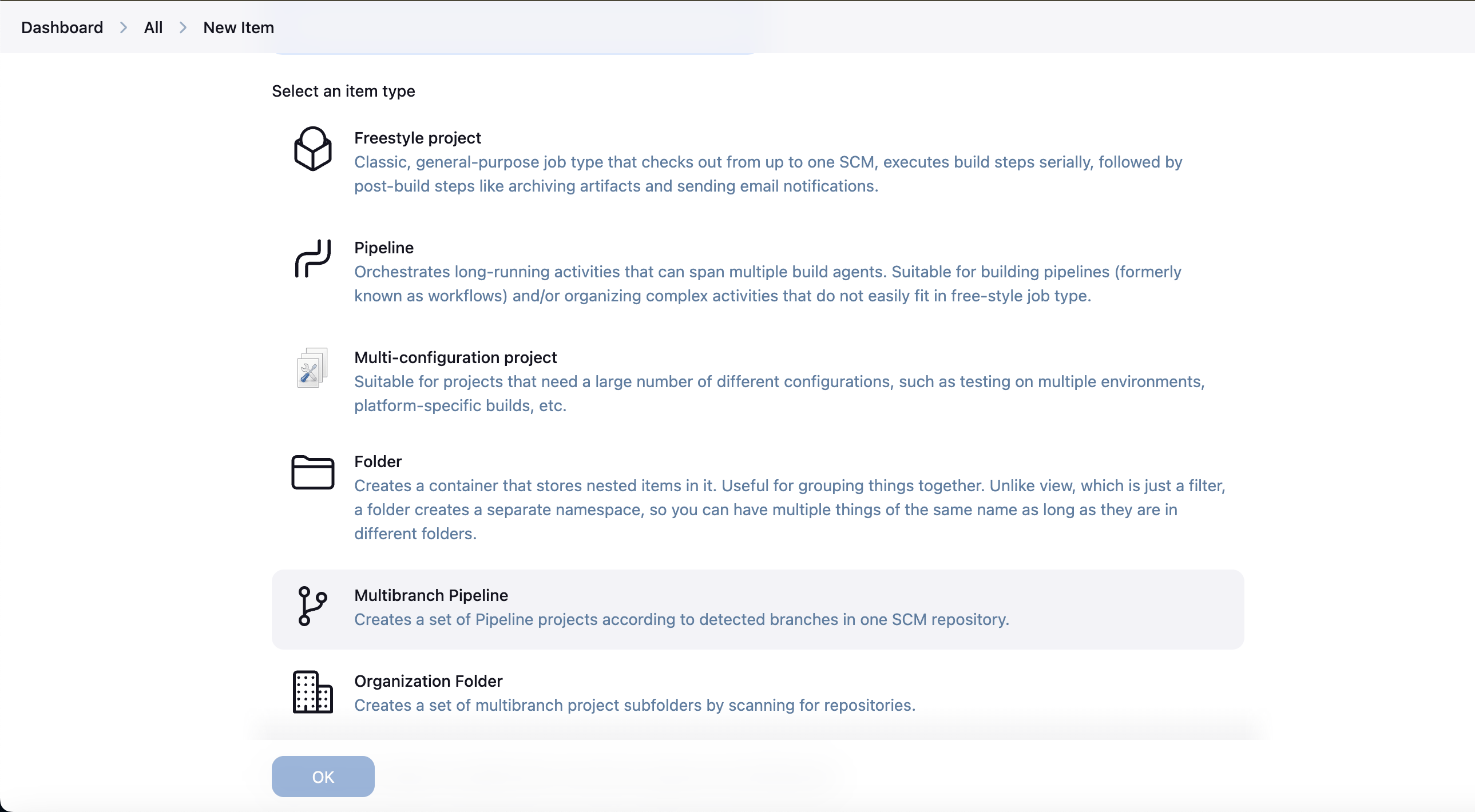
From the Jenkins Dashboard, create a new Multibranch Pipeline
-
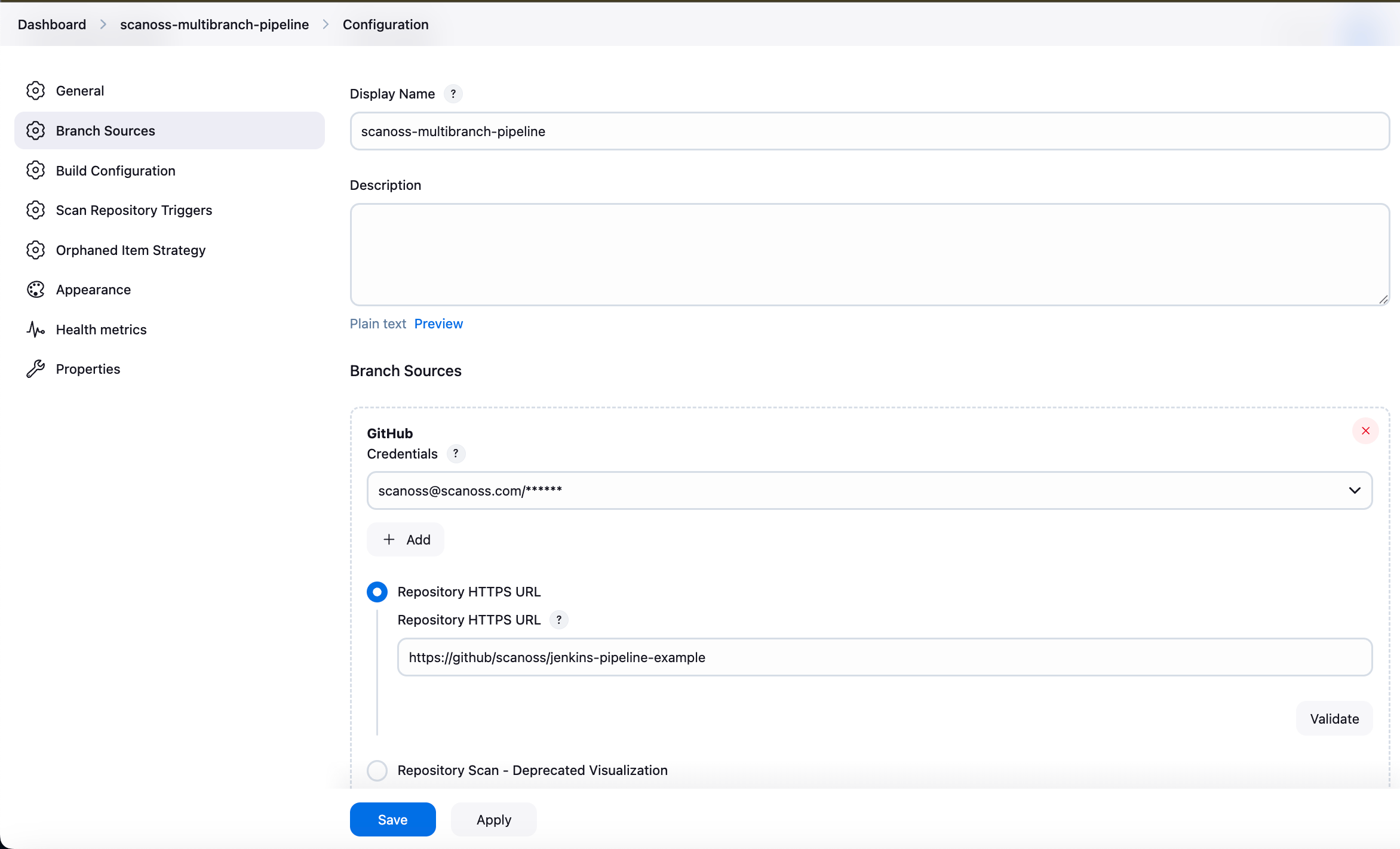
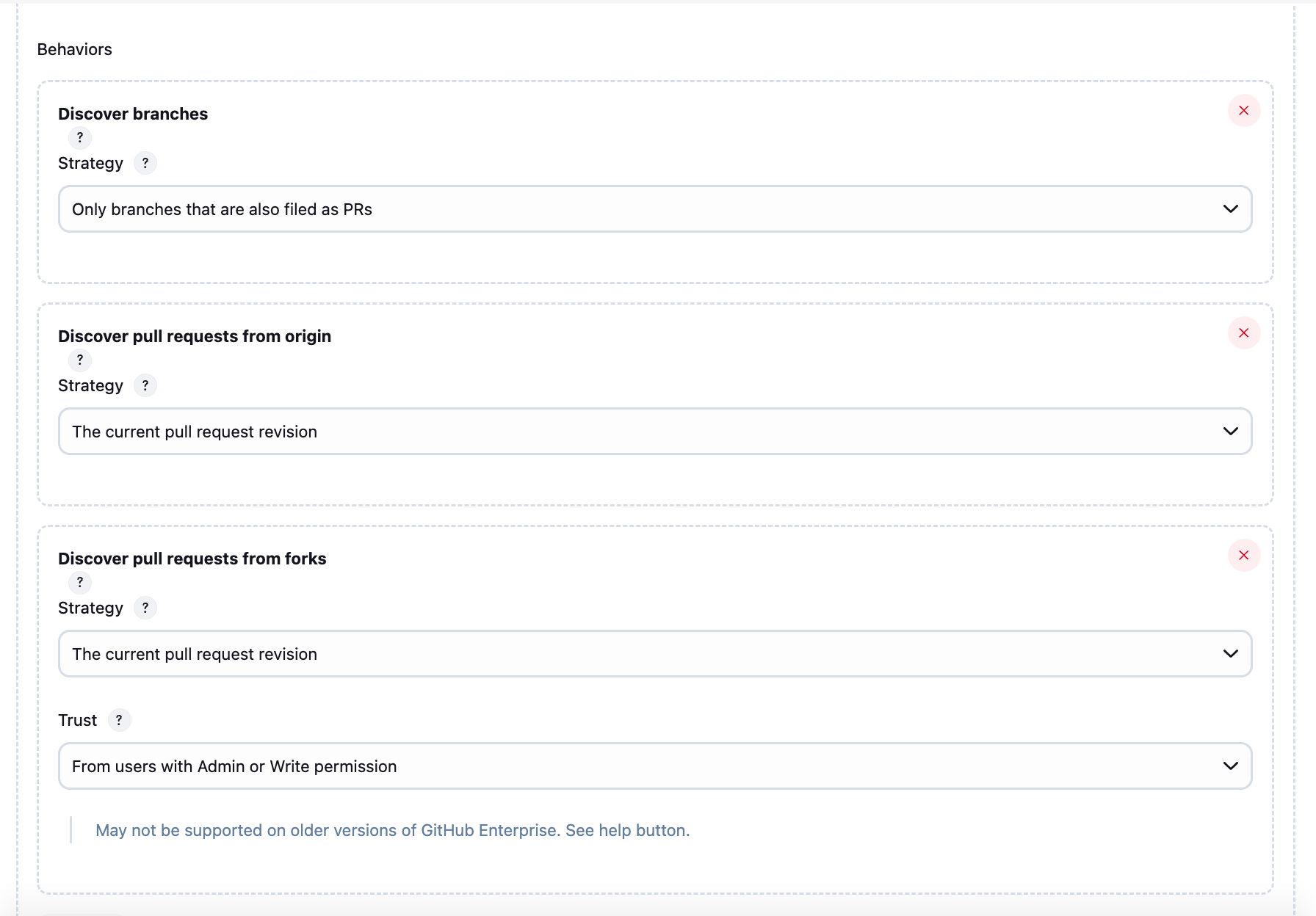
Under Branch Sources, add your repository URL and credentials
-
Select your desired pipeline behaviours (branch discovery strategy, build triggers)
-
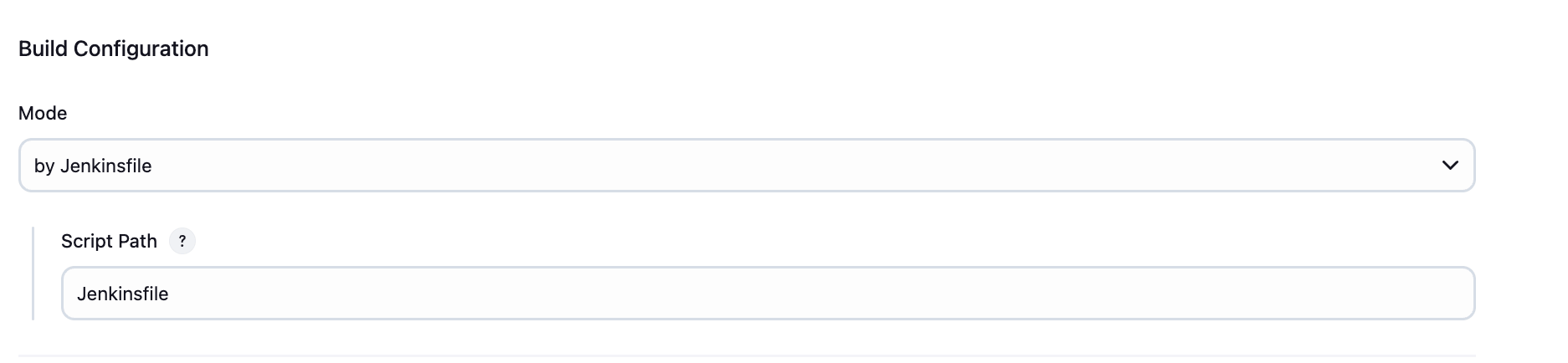
Under Build Configuration, set:
- Mode: by Jenkinsfile
- Script Path:
Jenkinsfile
- Apply and save
Private GitHub Integration
For private repositories, authentication is required. Configure appropriate credentials (such as a personal access token) in Jenkins. Refer to the GitHub documentation for guidance on creating and managing tokens.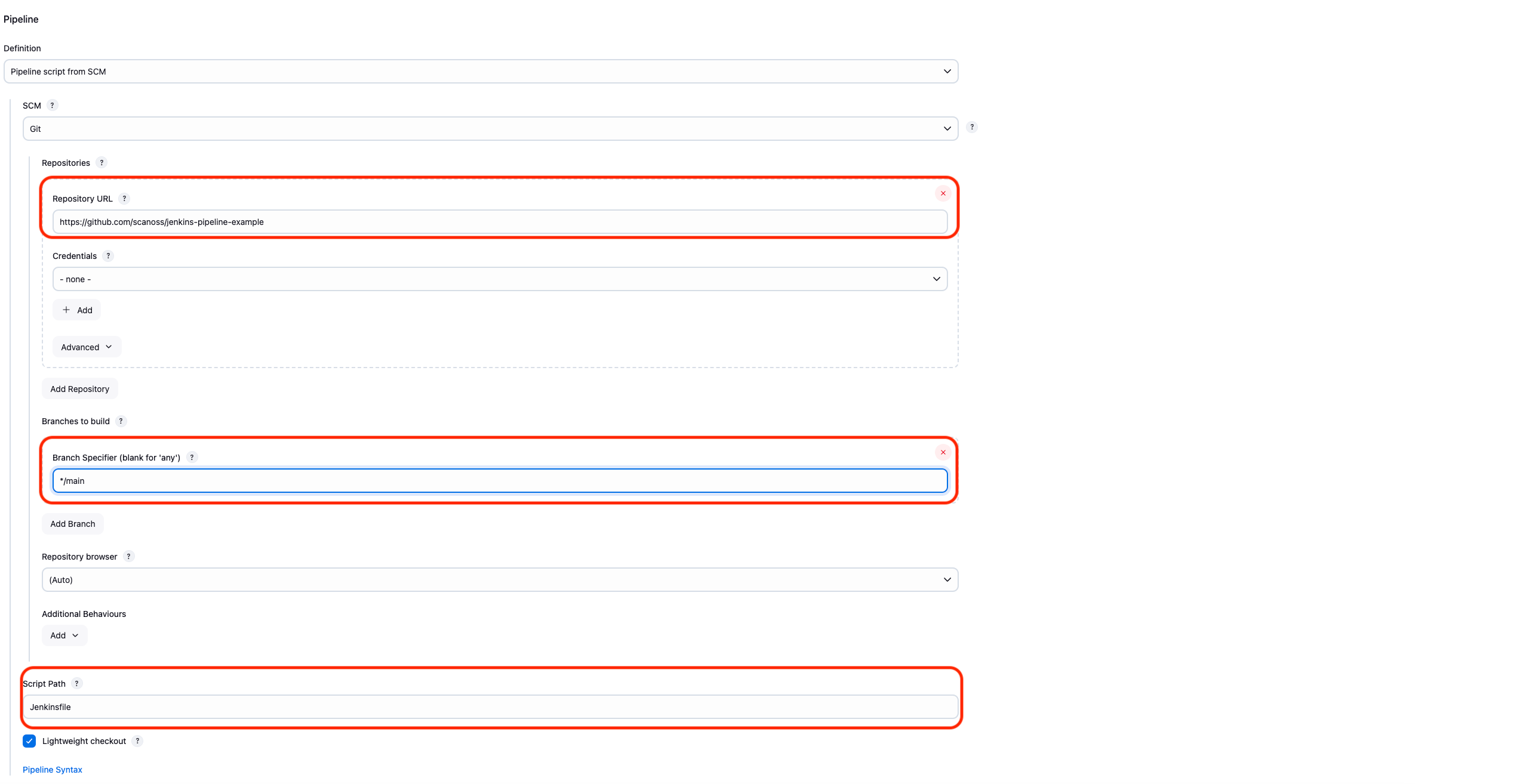
Pipeline Parameters
All parameters are configured directly in theJenkinsfile and can be overridden at build time via Build with Parameters.
Policy Checks
The SCANOSS Jenkins integration includes two built-in policies designed to enforce compliance and improve visibility into open source usage:-
Copyleft
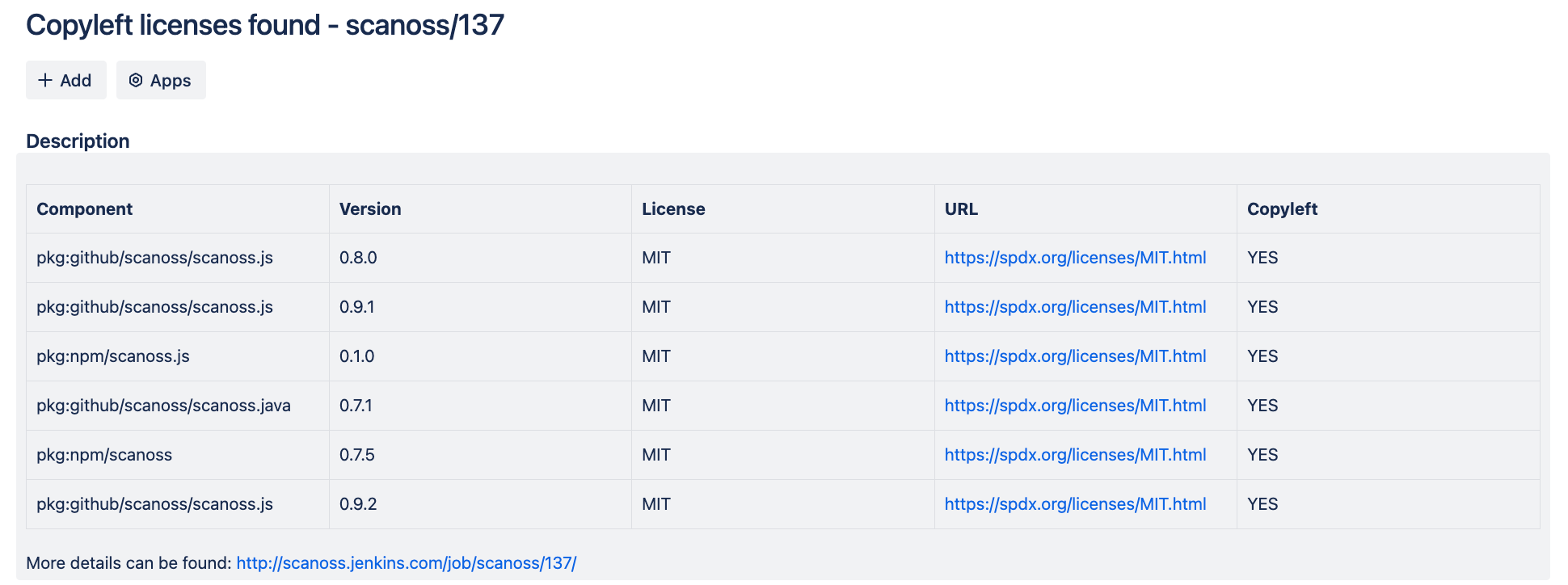
This policy detects components or code snippets associated with copyleft licenses. If any such licenses are identified, the pull request (PR) is automatically rejected. The default list of copyleft licenses is defined in the following file, and can be reviewed or extended as needed. -
Undeclared
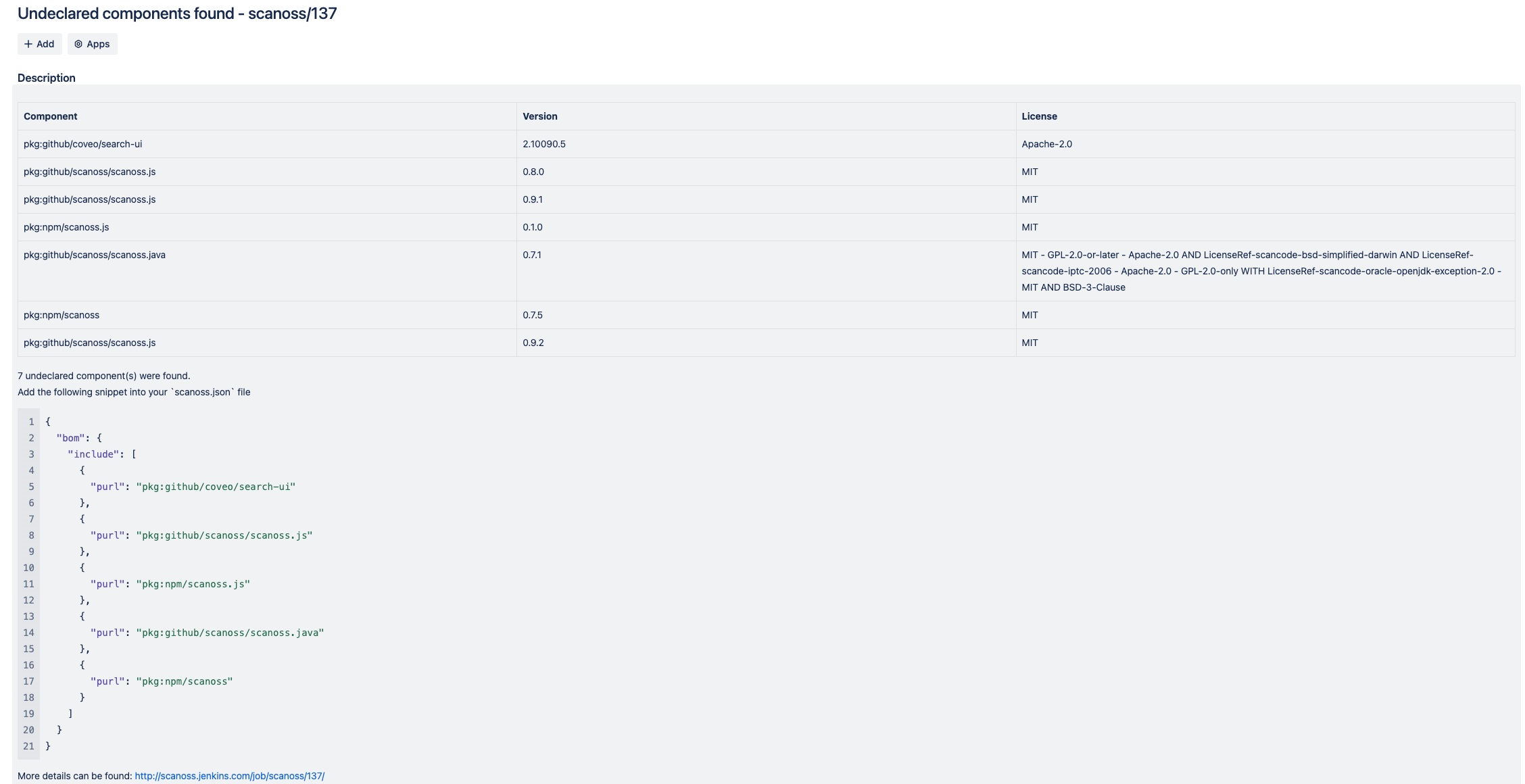
This policy compares detected components in the repository against those declared in thescanoss.jsonfile (the path can be customized via configuration). If any components are found that are not declared, the pipeline fails, ensuring full dependency transparency.
JIRA Integration
When policy checks fail and JIRA integration is configured, issues are automatically created to track and remediate violations. To enable this functionality, you must provide valid JIRA credentials. Issues will be created on behalf of the configured user. An API token is required for authentication. For more details on generating and managing tokens, refer to the JIRA documentation.