

One Policy, Everywhere Code Changes
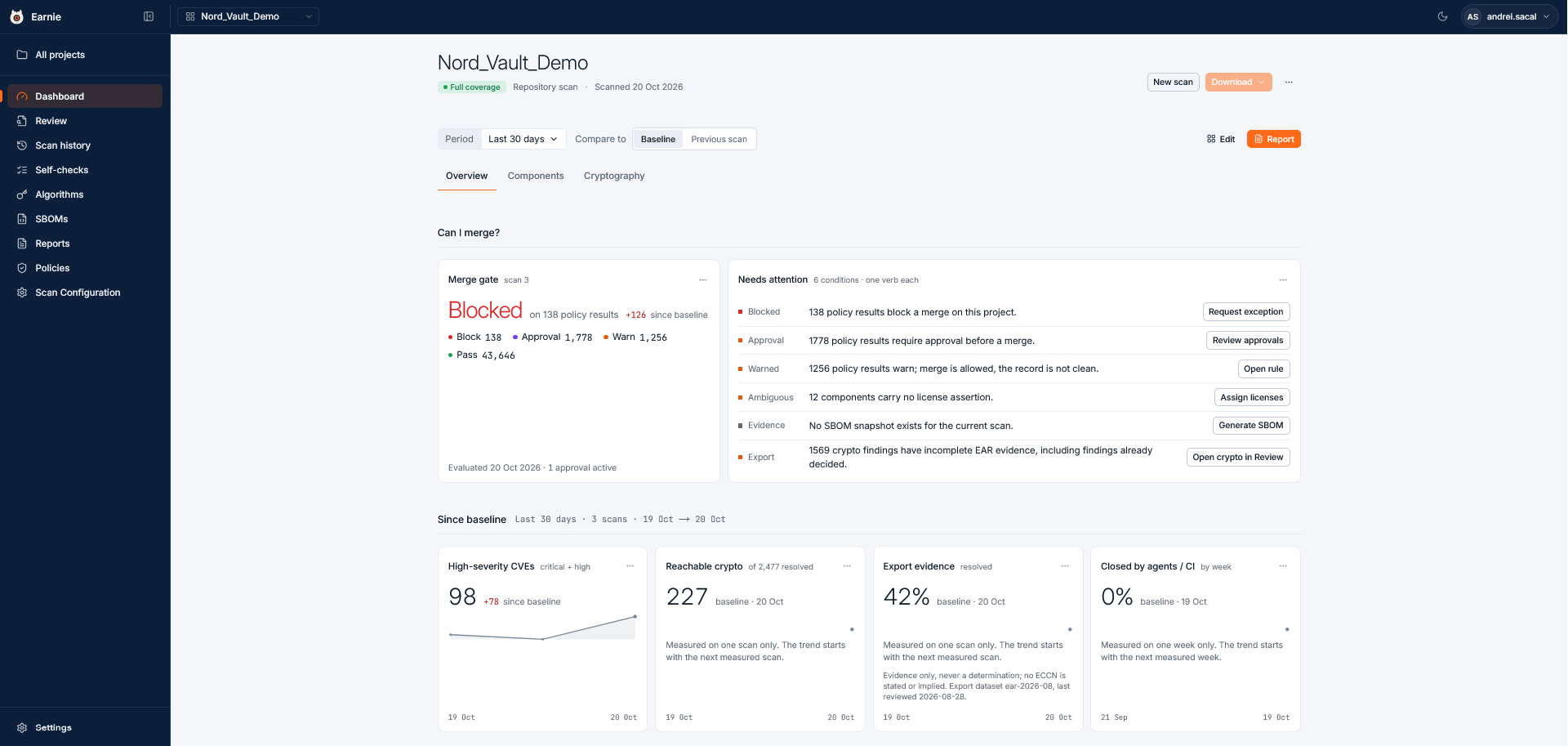
A scanner gives you a list of matches and leaves the follow-up to you. Earnie connects each finding to a decision and keeps the evidence for it. The same policy applies in three places:
A licence rule that blocks a pull request is the same rule a coding agent receives while it writes code, and the same rule an auditor sees in the project’s history.
Key Terms
A project is scanned. The scan produces findings. Earnie checks the findings against your policies, and the result is a verdict.How a Scan Becomes a Verdict
- Detect. Earnie runs the scanners enabled for the scan:
- Open source. Earnie fingerprints each file and SCANOSS matches the fingerprints against its knowledge base of open-source code. A fingerprint identifies the content without being a copy of it. Earnie also reads the dependencies declared in your package manifests.
- Cryptography. Earnie detects cryptographic algorithms, protocols, and certificates in your code and its dependencies.
- AI provenance. Earnie identifies AI model files and finds code that calls an AI service or SDK.
- Enrich. Earnie adds licence and vulnerability data to each matched component. Each result is a finding.
- Evaluate. Earnie checks each finding against your policies.
- Decide. The policy results produce the verdict. The worst result wins: one blocking result blocks the whole change.
Your source code stays in your Earnie environment. Whether SCANOSS hosts that environment or you
run it yourself, Earnie never sends source code to the SCANOSS API. It sends file fingerprints,
each with the file’s checksum, size, and path, the package identifiers of components and
dependencies it found, and fingerprints of AI model files. See
Deployment and data flow for exactly what leaves your environment.
Other Terms
Who Uses What
- Security and compliance leads (AppSec, platform security, or an open source program office) use the web app to triage findings, write policies, read posture, and manage the team.
- Developers and coding agents mostly never open the web app. They get policy context and Self-checks through the CLI, hooks, and MCP, and results on their pull requests.
- People who need the records, such as CISOs, legal counsel, and AI risk owners, use what Earnie exports: SBOMs, notice files, and the audit log.
Coding Agents
A coding agent connects to Earnie through MCP (Model Context Protocol), an open standard that lets an AI agent call tools on an external service. To also teach the agent how to run the Earnie CLI, read verdicts, call the API, or migrate a repository off older SCANOSS tools, install the Earnie skills from scanoss/skills:Where to Go Next
The sidebar follows the same three places: Development, Pull Requests & CI, and Governance.- Choosing how to run Earnie: read Deployment and data flow. If you’ll host it yourself, continue with Self-Hosting Requirements.
- Setting Earnie up for your organisation: start with Workspace setup.
- Developer: start with the Earnie CLI and the Merge gate.
- Moving off scanoss-py, the SCANOSS GitHub Action, or the SCANOSS pre-commit hook: read Migrating from SCANOSS tools.
Coding Agents (MCP)
Connect Claude Code, Cursor, VS Code, or Codex, and use Earnie’s tools from the agent.
Earnie CLI
Scan from the command line, install the pre-commit hook, and run Earnie in CI.
Merge Gate
What Earnie posts on a pull request, and what to do when a policy blocks a merge.
Triaging Findings
Work through the backlog and record a decision on each finding.
Setting Policies
Turn a decision you keep making by hand into a rule.
Using the API
Call Earnie’s REST API with an API key.