

What gets recorded
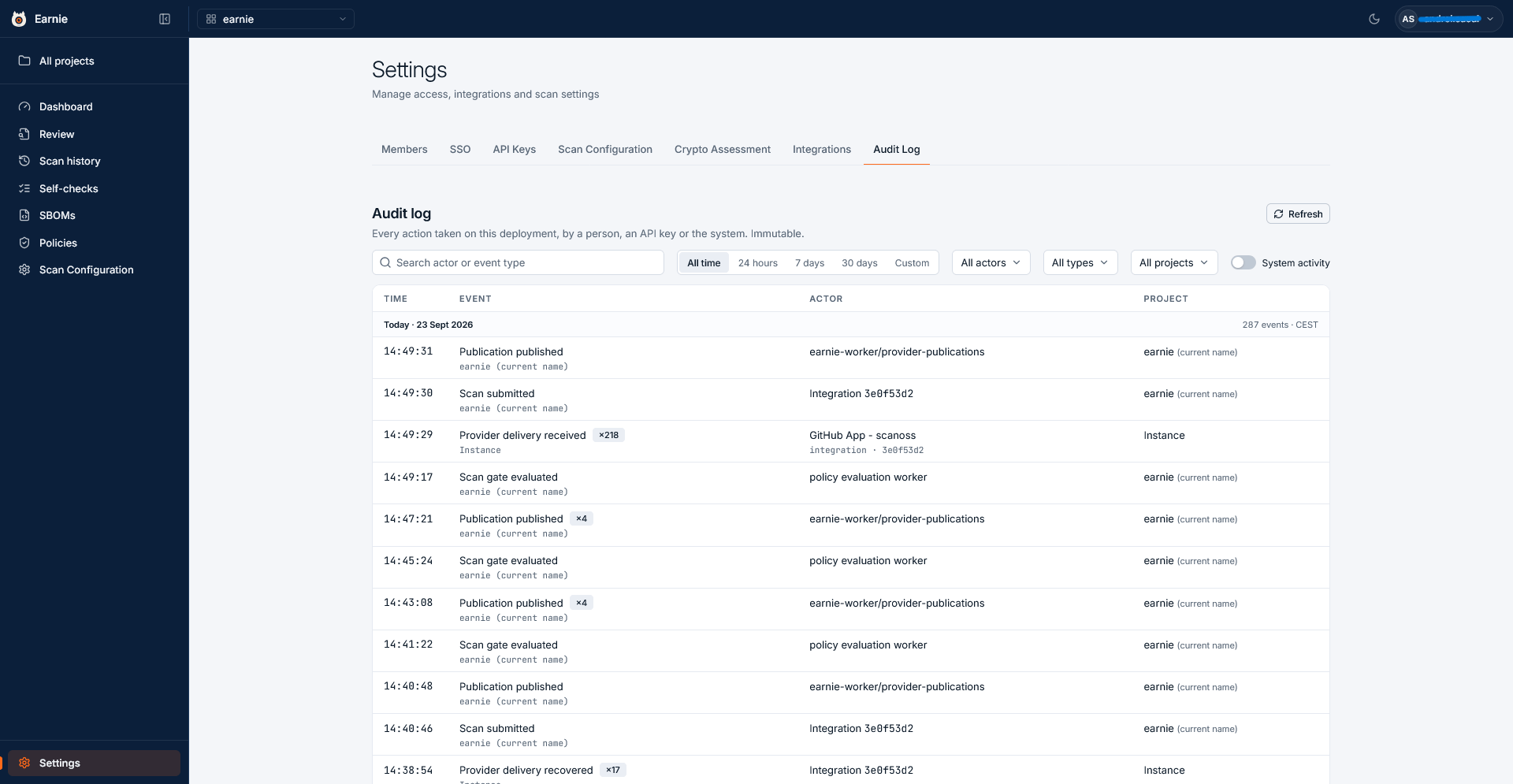
The log records almost everything that happens in your organisation, for example:- scans submitted, and their gates evaluated
- findings resolved
- policies attached and changed
- policy approvals requested and granted
- members and roles changed
- API keys created and revoked
- integrations connected, disconnected, or changing health, and a connection’s CA certificate replaced. The entry names each trusted certificate by its subject and expiry and never includes the certificate itself.
- set-password and password-reset links created and used, and passwords changed. The entry never includes the link or the password.
- SSO configuration changes
Finding an event
The log groups entries by day. It folds repeated identical events into a single row until you expand it, and marks an event that records a failure with a Failed badge. To narrow the list, use the filters above it:
Each active filter appears as a chip under the filter bar, and you can clear each chip on its own. Refresh reloads the list with the same filters.
Reading an event
Select a row to see the full detail of that event:- Time, and the same time in UTC
- Actor, the person, key, or worker that took the action
- Target, the thing the action was taken on
- Project
- Event ID
- Occurrences, each time the event happened, for a folded row
- Payload, the full recorded data, which you can copy with Copy JSON
What makes it evidence
Two properties make the audit log usable as evidence:- Earnie never edits or deletes an entry. Each entry stays exactly as Earnie recorded it.
- Earnie names automation as the actor. When an API key or a background worker takes an action, the entry credits that key or worker, not a person.