

- the Earnie pre-commit hook, or
- a coding agent connected to Earnie MCP, either with review hooks from
earnie mcp setup, or calling theearnie_review_codetool itself.
When a Self-Check Runs
A Self-check runs when:- a coding agent finishes a turn and calls its review tool, or
- the pre-commit hook runs before a commit lands.
Finding a Self-Check
Self-checks are listed under Self-checks in a project’s sidebar, next to Scan history, and never inside it.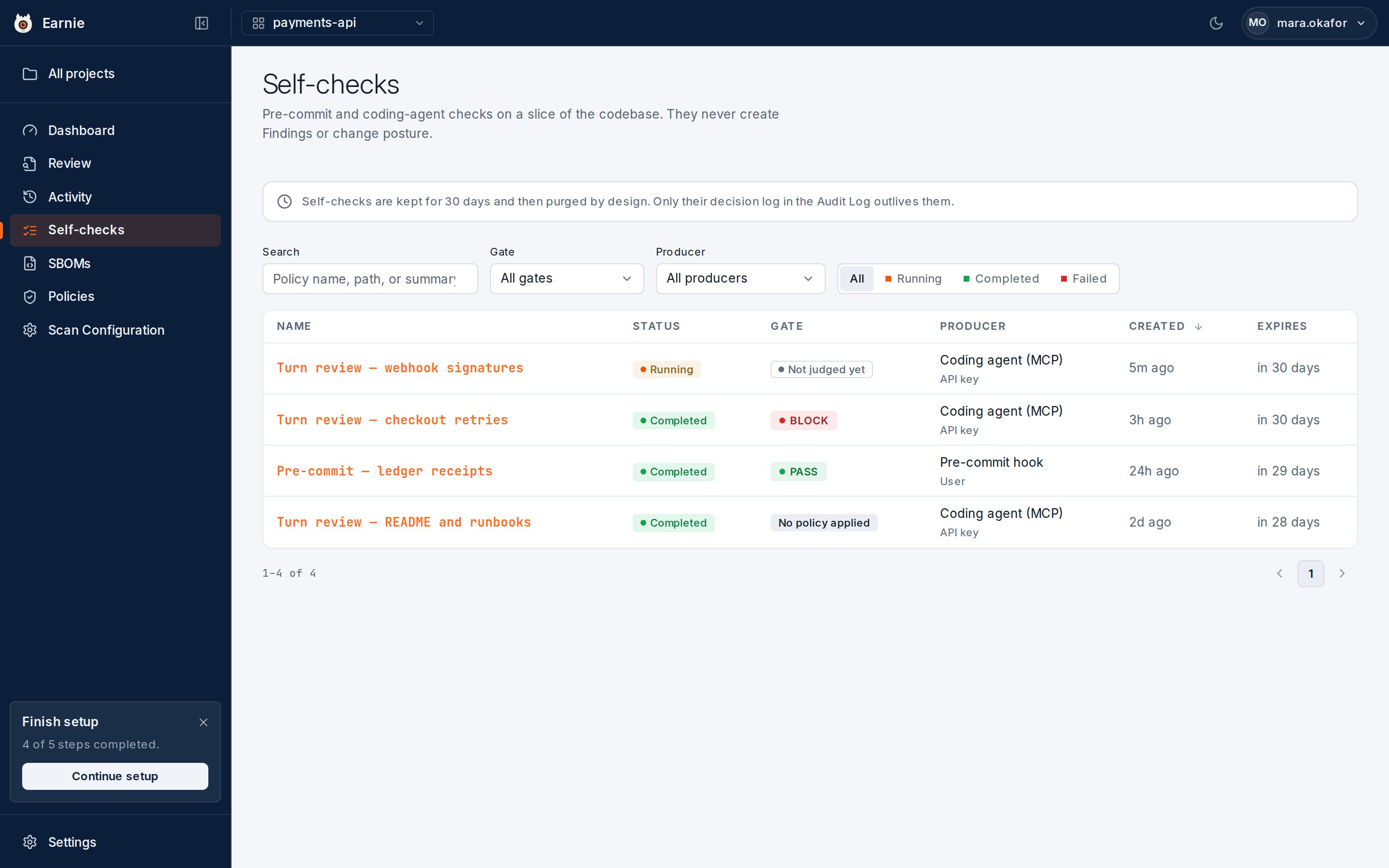
- Search matches a policy name, a detection’s file path, or its summary.
- Gate narrows the list to one verdict.
- Producer narrows the list to one source.
- A status toggle narrows the list to Running, Completed, or Failed.
Reading a Self-Check
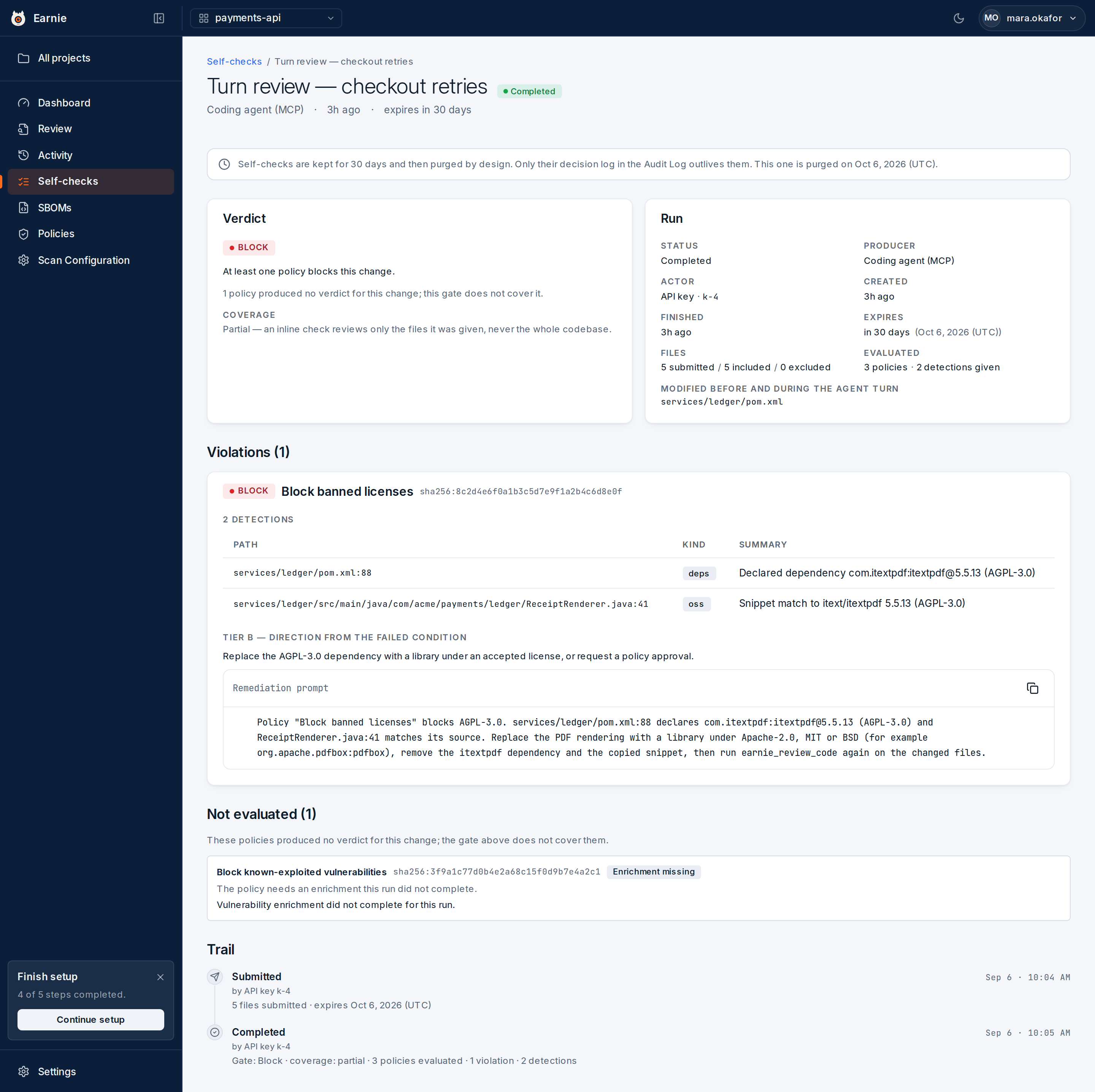
- Verdict — states the gate in one sentence.
- Violations — one entry for each policy the files broke. Each entry names the policy at the revision that was evaluated, and lists the detections that triggered it: a file and line, the kind of detection, and what was seen. Where Earnie can work one out, the entry also offers a remediation: a short summary and a prompt written for a coding agent. Copy prompt copies that prompt to your clipboard exactly as written.
Why a Pass Isn’t a Clean Bill of Health
A Self-check only ever sees a slice of the codebase, so some policies can’t be answered from it. The Not evaluated list shows each of these, with the reason. For example:- an enrichment that didn’t complete
- an expression that couldn’t be evaluated
- a policy whose inputs none of the submitted files carried
The Self-Check Trail
Below the Not evaluated list, a Trail section shows the run’s own history:- Submitted — how many files it was given, and when the run expires.
- Completed — the gate, the coverage, how many policies were evaluated, and the violation and detection counts.
- Failed — for a run whose scanner never produced a verdict, the error code and message.
Self-checks are kept for 30 days, then the run itself is purged by design.
A Self-check is a moment’s advice to a developer, not a record of the project.What outlives it is its Trail. A run’s link keeps showing its history for as
long as the audit log does, because the Trail is read from the audit log
itself, not from the purgeable run. A page for a purged run still shows that
Trail, with a note that the run was purged.If a link answers “Self-check not found” with no Trail at all, the ID is wrong
or belongs to another organisation. It hasn’t merely expired.